Registering your Fluke Product
Getting Started

1. Sign in with your Fluke account or create a new account.
Your account brings everything together in one place, making it easier to access support, manage products and services, and stay informed as your needs grow.
Already have an account?

2. Enter your product details.
Register your products to connect them to your account, making it easier to get the right support, understand coverage, and access resources that help you protect and get more value from your equipment.

Benefits of a Fluke Account

Centralized Access and Convenience
Your account gives you a single place to view products, services, orders, and support—so it’s easier to find what you need and take action quickly.

Faster, More Informed Support
Account context helps support teams understand your history and equipment, reducing back‑and‑forth and speeding up issue resolution.

Visibility & Control Over Your Assets
Track assets, support cases, orders and Fluke Premium Care or software subscriptions in one place, helping you stay organized.

Ongoing Value & Growth
Your account simplifies renewals, enables access to tools and insights, and supports scaling as your business and equipment footprint evolve.

Why Register Your Product?

Proof of Ownership & Product Clarity
Registration links each product’s serial number and details to your account, so you can easily access information, documentation, and support for the equipment you own.

Faster, More Accurate Support
With registered products, we can quickly identify your exact model and configuration—helping speed up troubleshooting, service requests, and repairs.

Warranty & Coverage Transparency
Serial numbers and purchase dates (when provided) help determine warranty status and coverage timelines, so you know what protection applies when support is needed.

Service, Calibration & Product‑Specific Resources
Submit and track support requests by product, see which tools are covered by Fluke Premium Care, and find relevant manuals, videos, and compatible accessories.
A Personal Dashboard for Your Tools
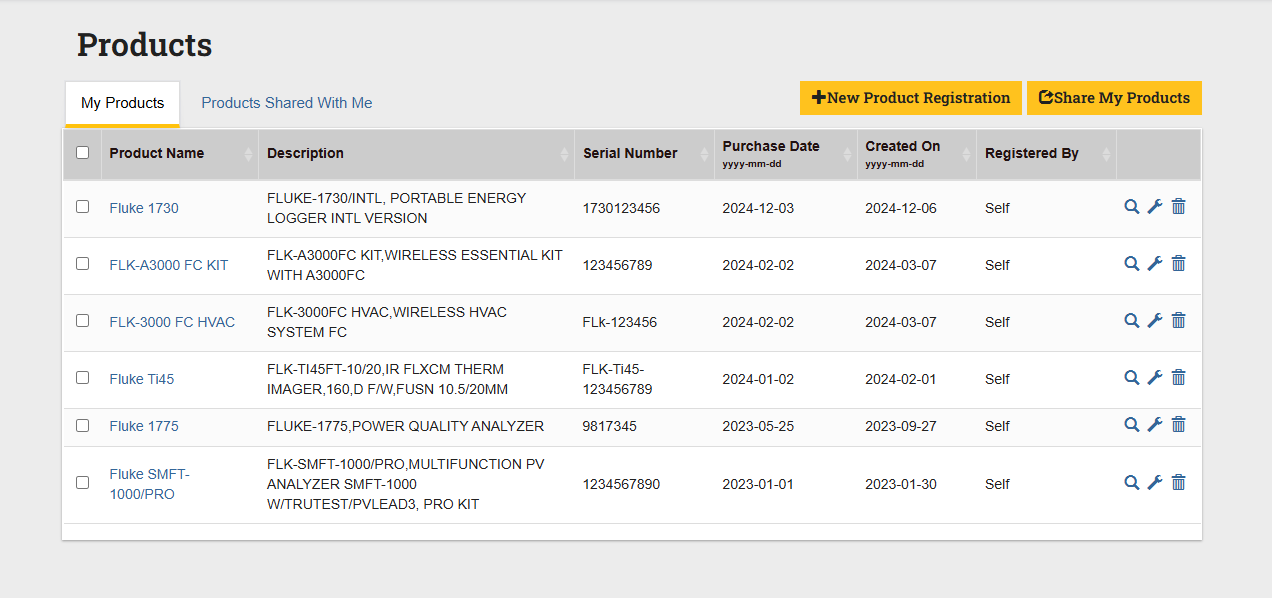
- See all your Fluke tools in one simple, intuitive interface.
- Stay up to date with the latest upgrades and recommended accessories.
- Get instant access to product details without digging through paperwork.
What You Need, When You Need It
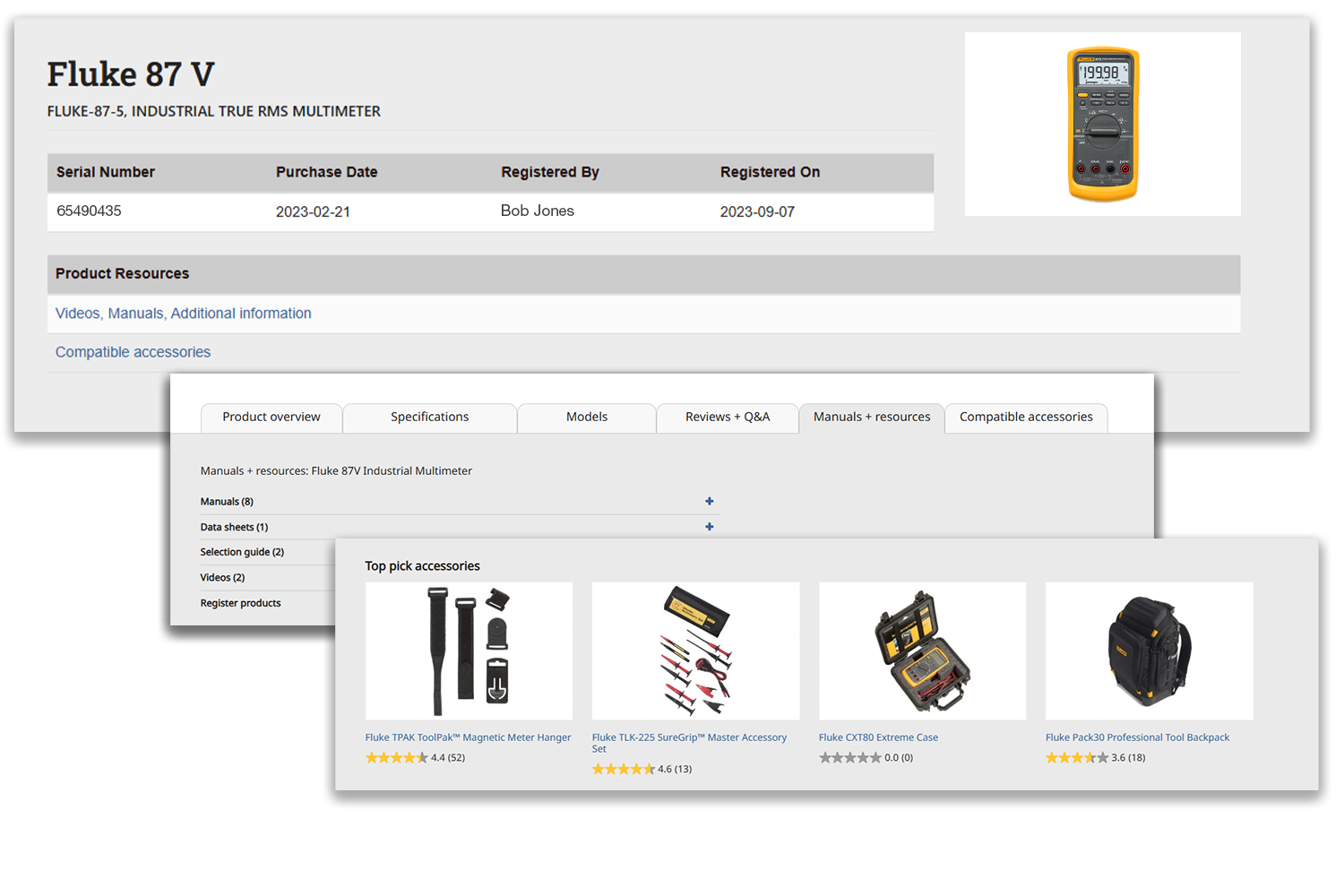
- Watch step-by-step video guides designed for real-world use.
- Download manuals, troubleshooting guides, and essential resources instantly.
- Find and order the right accessories quickly—no guesswork required.
Effortless Tool Care and Management
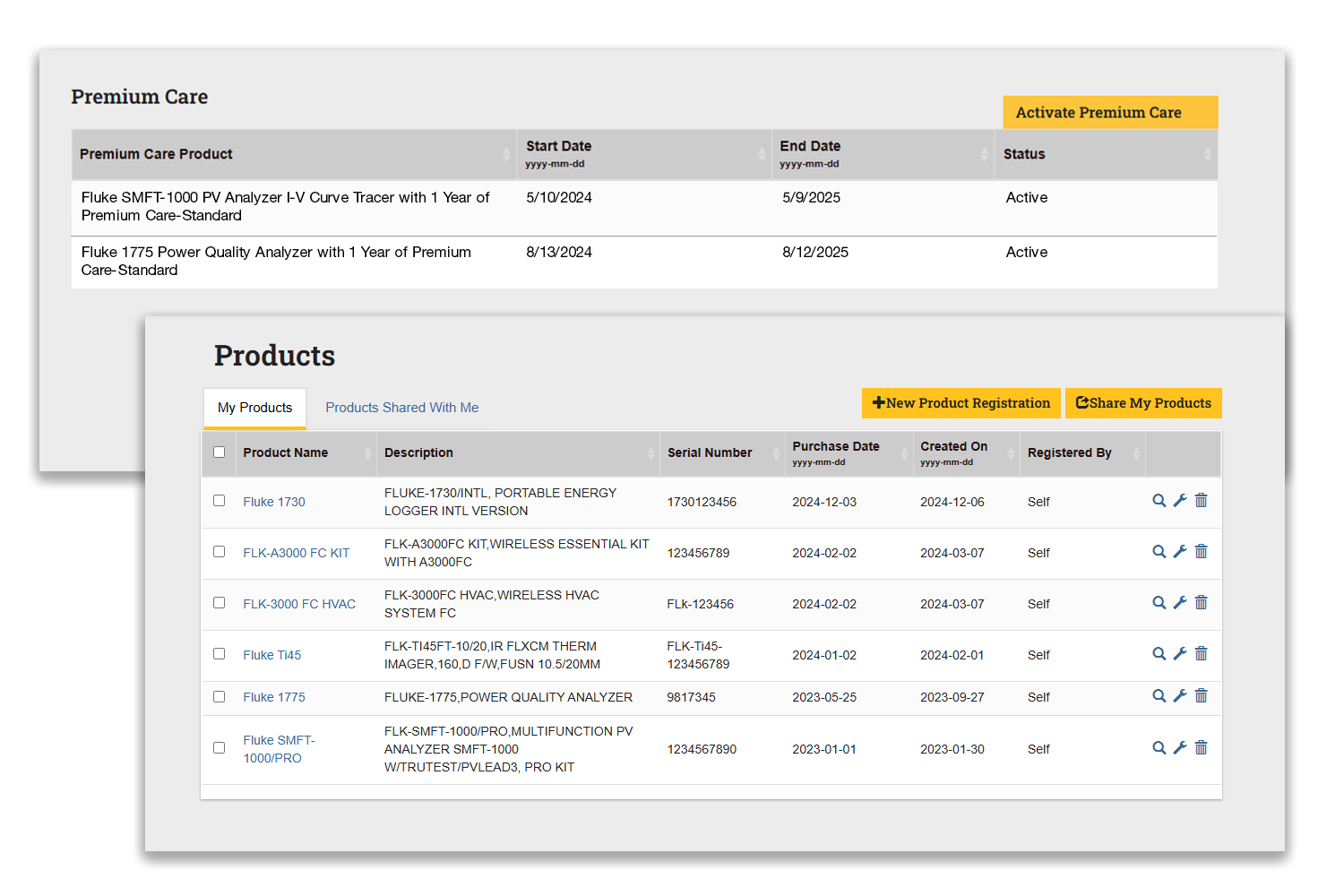
- Keep track of warranties and service plans in one convenient place.
- Easily manage tools across teams and locations for seamless operations.
- Always know where your tools stand, so you can work smarter and faster.
Seamless Support at Your Fingertips
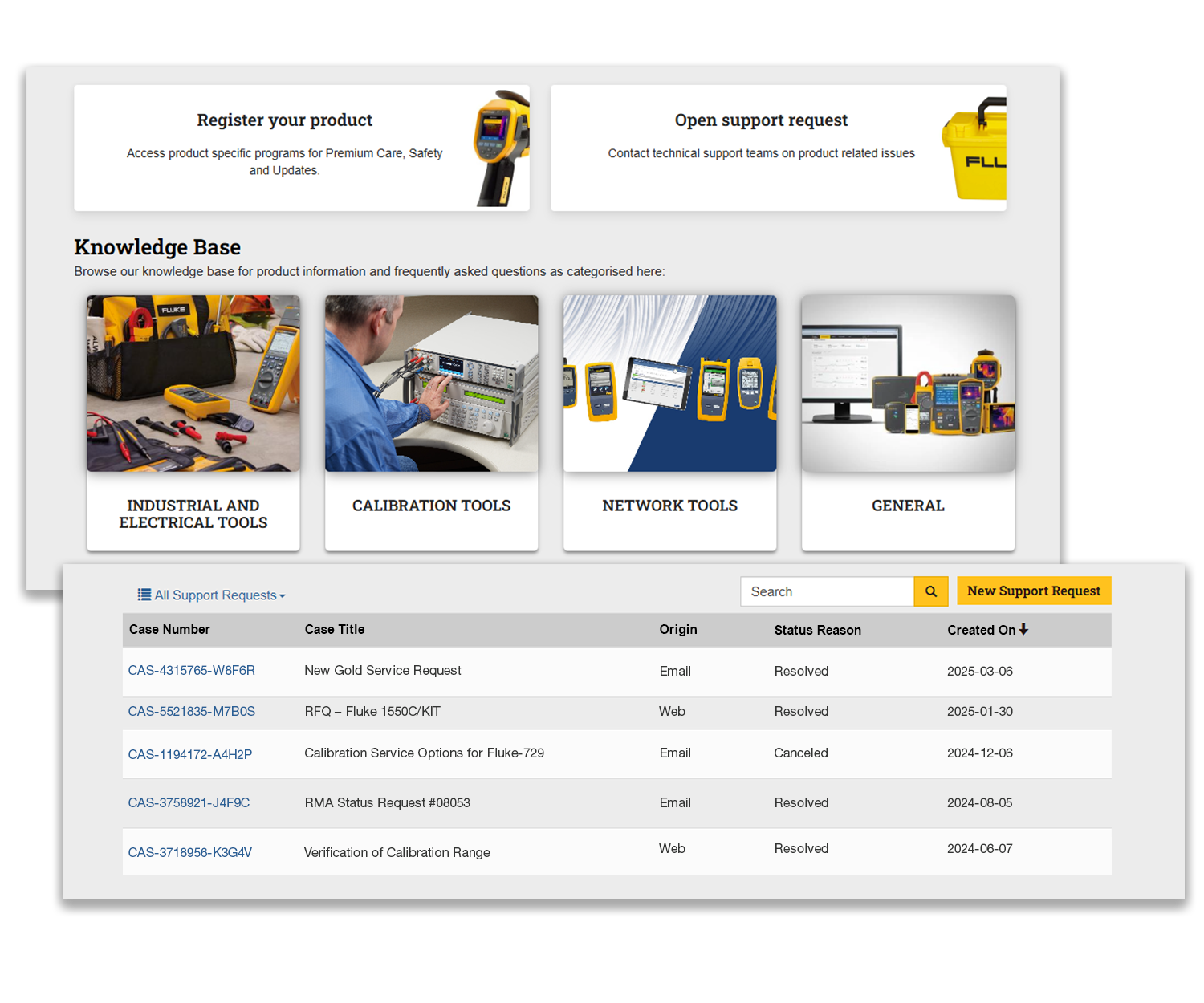
- Get direct access to Fluke technical assistance whenever you need help.
- View your complete support history, including past cases and resolutions.
- Explore a robust knowledge base with hundreds of FAQ articles to find answers fast.

Frequently Asked Questions
What information do I need to register a product?
You’ll typically need the product model name, serial number, and purchase date. Providing a purchase date can help clarify warranty timelines and coverage.
What are the benefits of registering my products?
Registering your products helps ensure faster, more accurate support, clearer warranty and coverage visibility, access to calibration guidance and certificates (for supported products), and product-specific manuals, videos, and compatible accessories.
How does product registration help with support requests?
When products are registered, support requests can be tied directly to specific equipment. This helps reduce back-and-forth and allows you to track support activity and statuses more easily.
Will I be notified about updates or important information?
Yes. Based on your registered products, we know which updates, notices, or product‑related information may be relevant to you. Your account gives you access to product information, updates, and resources, with communication methods varying by region and product.
What happens if I don’t register my product?
You can still receive support, but you may need to manually provide product details each time. Registering your product makes future interactions faster and gives you clearer visibility into coverage and resources.
Can I update or remove a registered product?
Yes. You can manage registered products within your account if information changes or equipment is no longer in use.
Is creating an account or registering a product required?
Creating an account and registering products are optional, but both help unlock faster support, better visibility, and a more streamlined experience overall.